Challenge
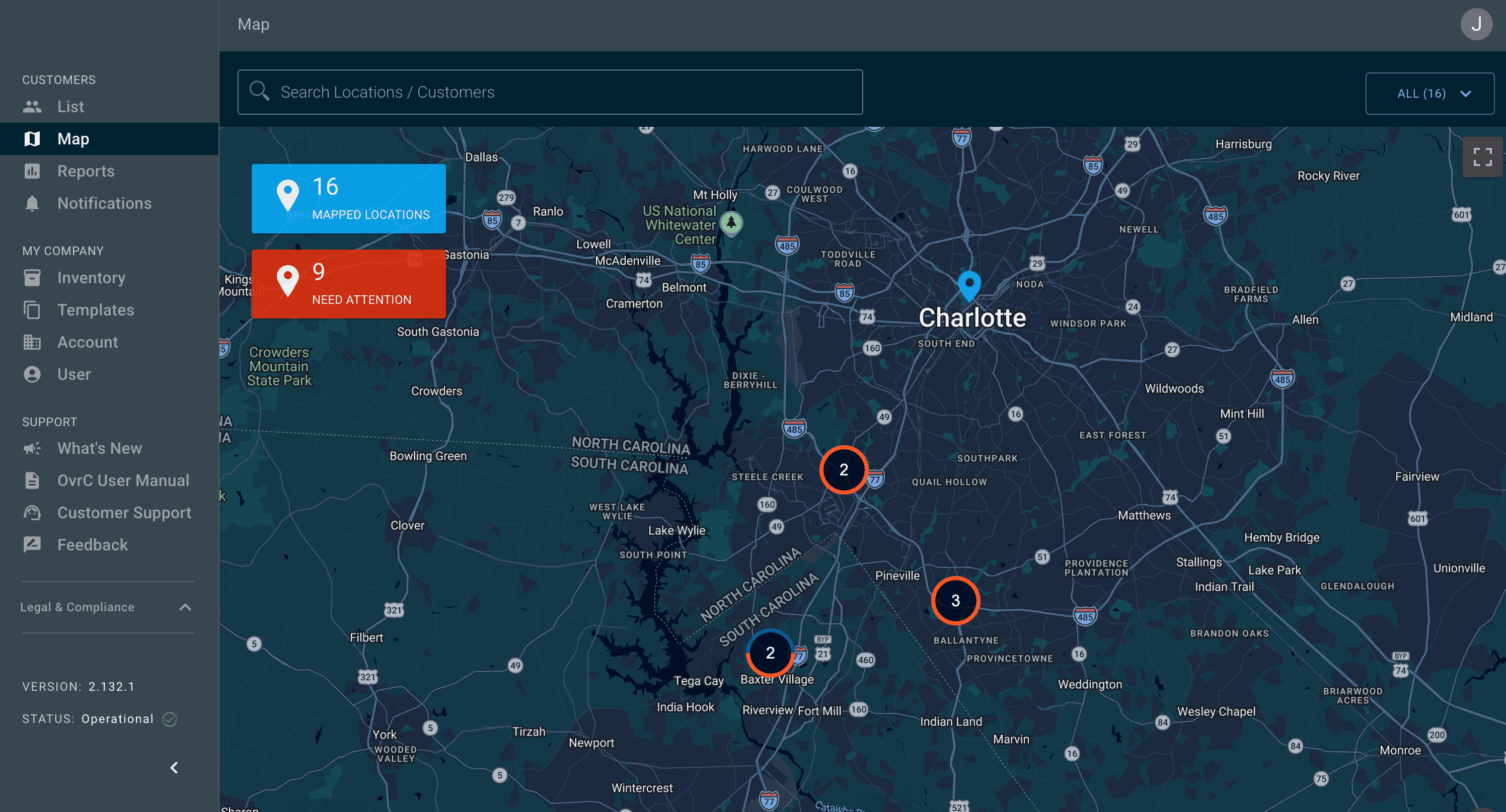
A relatively small audio/video company, SnapAV, wanted an app for one of their IP-connected power conditioners, essentially a surge protector with controllable outlets, so their integrators could reset them remotely.
Remote management had been the "holy grail" of the CEDIA industry. Integrators spent hours driving to customer homes just to reboot a device. Others had tried to solve it, with high-profile failures: some got too focused on a single product category, others were so unfocused they never shipped anything meaningful. I joined as UX Lead, the only designer on a team of five, and later grew into UX Manager.
Approach
Build what they need
We drew on SnapAV's customer relationships. We traveled to conferences, showed off prototypes, tested, listened, and iterated. Integrators needed outlet on/off, reboot, and configuration, but the conversations went much deeper. Most of them were not very tech savvy, and they were struggling to hire people who could configure networking equipment. We had a choice: teach someone to be a network engineer, or make it easy enough that anyone can learn. We chose the latter.
Make our customers successful by building what they need. No more, no less.
Not everything was serious. Every team member went through the rite of passage of accidentally turning off a router instead of rebooting it, creating a truck roll for ourselves. Even that led to a "Network Device" outlet category that prevents accidental shutoffs.
Four jobs, then two hundred models
We settled on four things integrators had to be able to do: monitor, control, configure, and be notified when something went wrong. We launched in 2014 with three power conditioner models that differed only in outlet count. Once product managers saw the attachment rates, every category wanted in: networking, surveillance, media. The platform grew to more than 200 native models, and the job became adding all of that without losing the simplicity that made it work.
SnapAV was new to software and hadn't done much usability testing, so I pushed for talking to customers as often as possible. We built a style guide, then a design system, to keep every product line consistent, and moved away from the Joint Development Manufacturing model so we controlled the full experience. Specs went to dev teams as Axure documentation linked to the BRDs.
OvrC Connect: an app for the homeowner
Almost immediately, integrators asked for something they could give their customers. They wanted to stop getting late-night calls for simple reboots, and some were handing homeowners their own OvrC logins, which confused nearly everyone. They also said it would be huge for their business if whatever we built looked like something they had built.
So we started by making it really easy to reboot stuff. Integrators could define macros: a single button like "Reboot AppleTV" that tells the WattBox to cycle the right outlet and the Araknis switch to reset the right port. The homeowner never needs to know any of that. They just have a button that fixes the problem. We gave the app a name of our own and let each dealer put their logo and contact info on top of it, so it felt like their app.
The requirement we had to break
Another initiative inside SnapAV required OvrC Connect to ship paired with OvrC Pro, a piece of hardware that carried the service model and gave integrators something to charge for on an ongoing basis. On paper the two reinforced each other. In the field they didn't.
My team tested it with customers and then watched it sit. Integrators could not sell the Pro device to homeowners. Not because it was a bad product, but because nearly all of its value went to the dealer rather than the person being asked to pay for it. There was also confusion about whether Connect required the Pro at all, so some integrators never pitched either one. Underneath the slow numbers, integrators clearly wanted Connect, with the hardware or without it.
So I pushed hard internally to drop the requirement, and I argued it on our customers' terms. These were small business owners whose entire model was doing jobs, one after another, forever. An app they could put their own name on was the first thing we had ever handed them that could become recurring revenue. Gating it behind hardware their customers had no reason to want meant choosing our initiative over their business.
We decoupled it, and attachment climbed.
Later, integrators asked for help competing with DIY networking products, so Connect grew parental controls: device profiles, pause and schedule controls for homework and bedtime, and three tiers of content filtering.
Impact
- Became the leading remote management platform in CEDIA within months of launch, and was still the industry leader when I left
- Grew past 5M devices at 200,000+ locations during my time on the team, and past 20M since
- Grew from 3 models to 200+ across power, networking, surveillance, and media
- Grew UX from one designer to a team of about six across two time zones, through acquisitions including Control4
- OvrC Connect reached tens of thousands of locations, with 100,000+ macros created by integrators and a healthy share of them charging homeowners for the service
Success brought its own problem: we were constantly asked to stretch the system past what it was designed to do, and a lot of the job became deciding what not to build. We set out to help small businesses be more successful, and watching integrators build real livelihoods on something our team made is still the part I'm proudest of.